KB: M3U8 Downloader Application Options
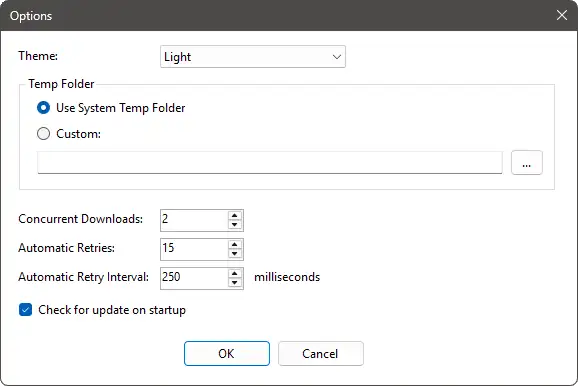
Theme
Set the UI theme of the application. Options available are Light, Gray, or Dark.
Temp Folder
M3U8 downloads are split into segments. Each segment will need downloading individually before being stitched together once everything is downloaded. Here you can specify the temporary location to store these segments. By default, 'Use Ssystem Temp Folder' will be selected. If required, you can specify a different location.
Concurrent Downloads
Specify the number of concurrent downloads. Changing this value will take immediate effect after OK-ing the Options dialog.
Automatic Retries
Specify the number of times to retry each failed segment.
Automatic Retry Interval
Specify the interval between retries. Time is in milliseconds.
Check for update on startup
Enable/disable checking for an update on startup.